
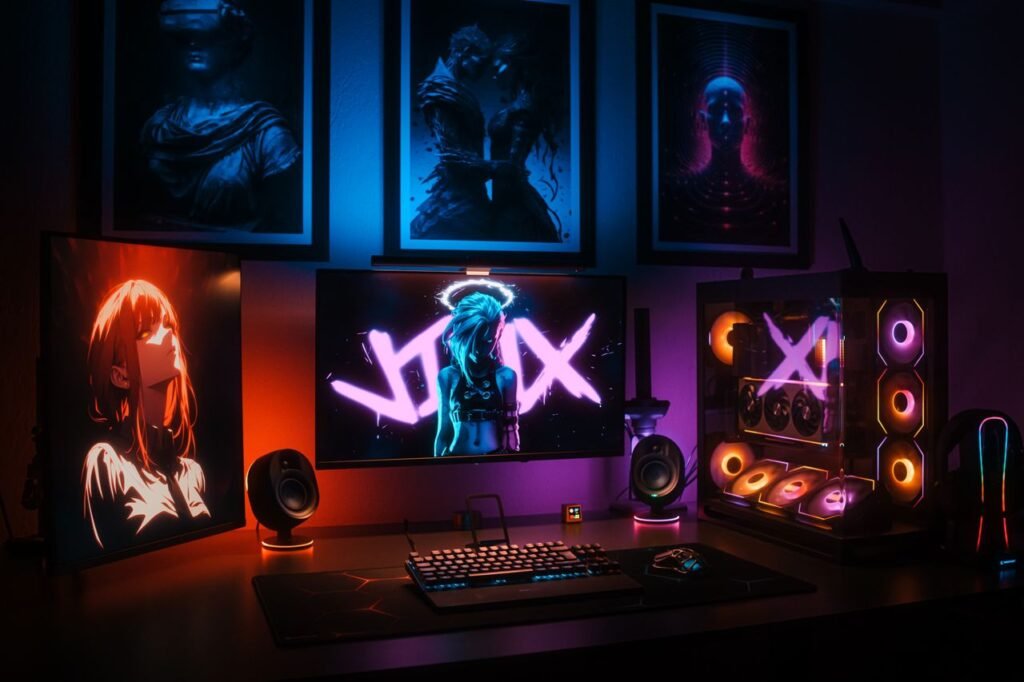
How to Build the Ultimate Gaming Setup on a Budget
Creating an impressive gaming setup does not have to mean spending thousands of dollars. With the right planning, smart purchasing decisions, and a focus on the equipment that actually improves your experience, you can build a comfortable and powerful gaming setup without going over budget.
Whether you are a PC gamer, console player, or someone who enjoys both, the key is to prioritize performance, comfort, and reliability instead of buying every expensive accessory available.
A good gaming setup is not defined by flashy lights or premium equipment. It is a space where you can play comfortably, stay focused, and enjoy your favorite games.
1. Set a Realistic Gaming Budget
Before buying anything, decide how much you can comfortably spend.
A budget helps you avoid unnecessary purchases and makes it easier to prioritize important equipment.
For example, someone building a complete PC setup may need to divide their budget between the computer, monitor, keyboard, mouse, headset, desk, and chair.
Console gamers may spend more of their budget on the console, display, controller, storage, and accessories.
Do not feel pressured to purchase everything at once.
A better strategy is to build your setup gradually.
Start with the most important equipment and upgrade less important accessories later.
2. Choose Your Gaming Platform
The first major decision is choosing the platform you want to use.
Your main options include:
- Gaming PC
- Gaming console
- Handheld gaming device
- Laptop
Each platform has different advantages.
A gaming PC provides flexibility and upgrade options, while consoles offer convenience and predictable hardware.
If your budget is limited, think carefully about the games you want to play before choosing your platform.
There is no reason to spend extra money on hardware that you will not use.
3. Build a Budget Gaming PC
If you choose PC gaming, the computer will probably be the largest part of your budget.
Focus on the components that have the biggest effect on gaming performance.
The graphics card is particularly important for modern games, while the processor, memory, and storage also contribute to overall system performance.
A balanced system is usually better than spending most of your money on one component.
For example, pairing a powerful graphics card with insufficient memory or an outdated processor can create performance limitations.
Research compatibility carefully before purchasing individual components.
4. Consider a Prebuilt PC
Building a PC yourself can provide excellent value, but it is not the only option.
A prebuilt gaming PC can be convenient for beginners who do not want to assemble individual components.
When comparing prebuilt systems, look beyond the marketing labels.
Check the actual processor, graphics card, memory, storage, power supply, and cooling system.
Avoid choosing a PC simply because it is advertised as a “gaming computer.”
The individual specifications matter much more.
5. Buy Used or Refurbished Hardware Carefully
Used hardware can help reduce costs.
Graphics cards, monitors, keyboards, mice, and other accessories may be available at lower prices when purchased secondhand.
However, buying used equipment requires caution.
Check the condition of the product and, when possible, purchase from a seller with a good reputation.
For used PC components, verify that the hardware works properly and has not been heavily damaged or modified.
A lower price is not useful if the product fails shortly after purchase.
6. Choose the Right Gaming Monitor
A gaming monitor can have a significant effect on your experience.
However, you do not necessarily need the most expensive display.
Consider the resolution, refresh rate, response time, screen size, and panel technology.
For competitive games, a higher refresh rate can provide smoother motion.
For story-driven games, open-world titles, and cinematic experiences, resolution and image quality may be more important.
Choose a monitor based on the games you play rather than buying the highest specification available.
7. Do Not Overspend on RGB Lighting
RGB lighting can make a gaming setup look impressive, but it does not improve gaming performance.
If your budget is limited, prioritize functional equipment first.
A good monitor, reliable mouse, comfortable keyboard, and quality headset are generally more useful than expensive lighting accessories.
You can always add RGB strips, lighting panels, or illuminated accessories later.
A clean setup can look great without excessive lighting.
8. Pick a Reliable Gaming Mouse
For PC gamers, the mouse is one of the most important peripherals.
A good gaming mouse should feel comfortable and provide accurate tracking.
You do not necessarily need an expensive professional mouse.
Look for a model that fits your hand comfortably and provides the features you actually need.
For competitive shooters, weight and sensor performance can be particularly important.
For casual gaming, comfort may matter more than advanced specifications.
9. Choose a Comfortable Keyboard
Your keyboard should be comfortable and responsive.
Mechanical keyboards are popular among gamers, but they are not required.
A good membrane keyboard can also provide a solid gaming experience.
If you want a mechanical keyboard, consider the type of switches, noise level, layout, and overall build quality.
Do not buy a keyboard simply because it has a large number of features.
Choose one that feels comfortable during long gaming sessions.
10. Invest in a Good Headset
Audio is often overlooked when building a budget gaming setup.
A good headset can improve immersion and help you hear important sounds in competitive games.
You do not necessarily need an expensive audiophile headset.
Look for comfortable ear cushions, clear audio, a reliable microphone, and good noise isolation.
If you already own a quality pair of headphones, you may not need to purchase a dedicated gaming headset.
11. Choose a Simple Gaming Desk
A gaming desk does not need to be covered with expensive branding.
The most important factors are stability, size, and comfort.
Make sure the desk has enough room for your monitor, keyboard, mouse, and other equipment.
Cable management can also make a simple desk look much more organized.
You can create a clean gaming environment using basic furniture without spending heavily on specialized gaming desks.
12. Get a Comfortable Chair
A gaming chair may look impressive, but you do not necessarily need a chair marketed specifically for gaming.
A comfortable office chair can be an excellent alternative.
Look for good back support, adjustable height, comfortable seating, and a design that suits your body.
Comfort is particularly important if you spend long periods at your desk.
A chair should support good posture rather than simply look stylish.
13. Improve Cable Management
One of the cheapest ways to improve a gaming setup is to organize your cables.
Messy cables can make even expensive equipment look disorganized.
Use simple cable ties, clips, sleeves, or cable channels to keep everything organized.
Separate power cables from other connections where practical and label cables that are difficult to identify.
Good cable management can make your setup cleaner without requiring a major investment.
14. Use Your Existing Equipment
Before buying new accessories, look around your home.
You may already have equipment that can be used for gaming.
An existing television can work as a console display.
A normal desk can become a gaming desk.
Existing headphones can work instead of a gaming headset.
A standard keyboard and mouse can be perfectly suitable for many games.
Using what you already own can free up money for upgrades that actually matter.
15. Prioritize Performance Over Appearance
A common mistake when building a budget setup is spending too much money on appearance.
Gaming chairs, RGB fans, decorative accessories, wall panels, and branded equipment can quickly increase costs.
Instead, prioritize:
- Gaming hardware
- Monitor or display
- Input devices
- Audio
- Comfort
- Appearance
Once the important components are covered, you can improve the visual design of your setup.
16. Take Advantage of Sales
Timing your purchases can save money.
Gaming hardware frequently goes on sale during major shopping periods and promotional events.
Instead of buying everything immediately, compare prices and wait when possible.
You can also create a list of the equipment you need and monitor prices over time.
Do not buy something simply because it is discounted.
A cheap product that you do not need is still an unnecessary expense.
17. Buy Games Strategically
Building a gaming setup is not only about hardware.
Games themselves can become a significant expense.
Avoid buying every new release at full price.
Digital stores frequently offer discounts, bundles, and seasonal sales.
Free-to-play games can also provide hundreds of hours of entertainment without requiring an upfront game purchase.
A carefully selected game library can help you enjoy more gaming without constantly spending money.
18. Upgrade One Component at a Time
You do not need to replace your entire setup when you want better performance.
A gradual upgrade strategy can be much more affordable.
For example, you might upgrade your storage first, then improve your memory, graphics card, monitor, or peripherals later.
The correct upgrade depends on what is limiting your current system.
There is little benefit in replacing a component that is already performing well.
19. Optimize Your Current PC
Before spending money on upgrades, make sure your existing computer is properly optimized.
Keep your system and graphics drivers updated when appropriate.
Remove unnecessary applications that consume system resources.
Check available storage space and make sure the computer is not overheating.
You can also adjust in-game graphics settings to improve performance.
Reducing a few demanding settings can sometimes provide a significant improvement in frame rate without requiring new hardware.
20. Build a Setup That Fits Your Gaming Style
The ultimate gaming setup is different for every person.
A competitive FPS player may prioritize a high-refresh-rate monitor, accurate mouse, and responsive keyboard.
A racing fan may prefer a large display and racing wheel.
An RPG player may prioritize image quality, comfortable seating, and high-quality audio.
A console gamer may focus on a good television, comfortable controller, and sound system.
Your setup should be designed around how you actually play.
Example of a Budget-Friendly Setup
A simple gaming setup could include:
- A capable gaming PC or console
- A reliable monitor or television
- A comfortable keyboard and mouse or controller
- A basic gaming headset
- A sturdy desk
- A comfortable chair
- Simple cable management
- Optional lighting
You do not need every premium accessory.
The goal is to create a setup that performs well and feels comfortable.
Common Budget Gaming Mistakes
Avoid these common mistakes when building your setup:
Spending Too Much on Appearance
RGB lighting and decorative accessories can consume your budget without improving performance.
Buying Hardware Without Checking Compatibility
PC components need to work together properly.
Choosing the Most Expensive Option
Higher price does not always mean better value.
Ignoring Comfort
A beautiful setup is not useful if the chair, desk, or monitor position is uncomfortable.
Buying Everything at Once
Gradual upgrades can make budgeting easier.
Following Trends Blindly
A product can be popular without being the best choice for your needs.
Conclusion
Building the ultimate gaming setup on a budget is completely possible with smart planning.
The most important step is deciding what matters most to you. Prioritize gaming performance, display quality, reliable controls, audio, and comfort before spending money on decorative accessories.
You can save money by using existing equipment, comparing prices, shopping during sales, considering carefully selected used hardware, and upgrading your setup gradually.
Remember that an impressive gaming setup is not defined by how much money you spend. A well-planned setup that fits your gaming style can provide an excellent experience without requiring an enormous budget.
Start with the essentials, make smart purchases, and improve your setup over time. With the right approach, you can create a comfortable, attractive, and capable gaming environment while keeping your spending under control.